
Interface motion / CSS
Magnetic button
A button follows a nearby pointer and settles back on release.
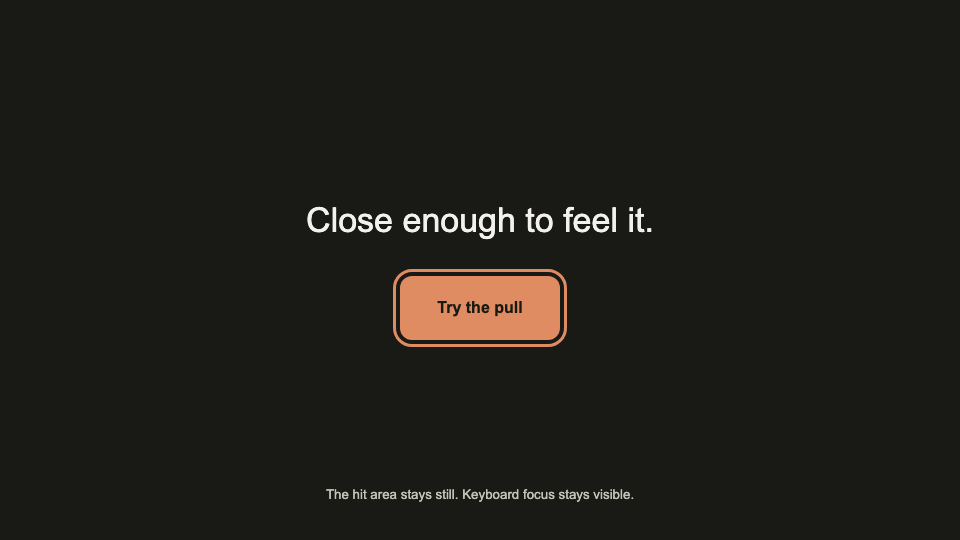
DKC reference implementation; not an original creator video. You can play, pause, and inspect time in the reference.
Make it fit your project.
Measure the pointer relative to the button center. Clamp translation to 8px and ease back to zero when the pointer leaves. Keep the hit area fixed, use transform only on an inner surface, and preserve a visible keyboard focus ring.
Build and check.
- Confirm the supplied content, target environment, and required assets before implementing.
- Measure the pointer relative to the button center. Clamp translation to 8px and ease back to zero when the pointer leaves. Keep the hit area fixed, use transform only on an inner surface, and preserve a visible keyboard focus ring.
- Implement idle, active, keyboard, touch, reduced-motion, and failure states as relevant.
- Inspect the opening, midpoint, and final state at desktop and mobile sizes; report any dependency or output limitation.
Know the limits.
- Do not move the actual hit target. Touch and reduced-motion users get a stationary button.
- The prompt guides a coding agent; output quality depends on its implementation and review.
Want us to build it?
Send an optional project brief. We’ll receive your contact details, project description, and this recipe’s ID.
Catalog 2026-10-22.a82e12098f76 · Source revision sha256:dfbe6519cbc4fc84acc4cbf926d8a01c7f2e248dd46cedd67a9112b0e928c2ba